

AI invoice capture is often presented as the turning point for accounts payable automation. The message is simple: invoices arrive, data is extracted automatically, and manual effort disappears.
In practice, most finance teams find that capture alone rarely delivers the outcomes they care about. It can reduce basic data entry, but it does not automatically shorten cycle times, reduce exceptions, improve approvals, or strengthen governance. Those issues usually sit outside the capture step.
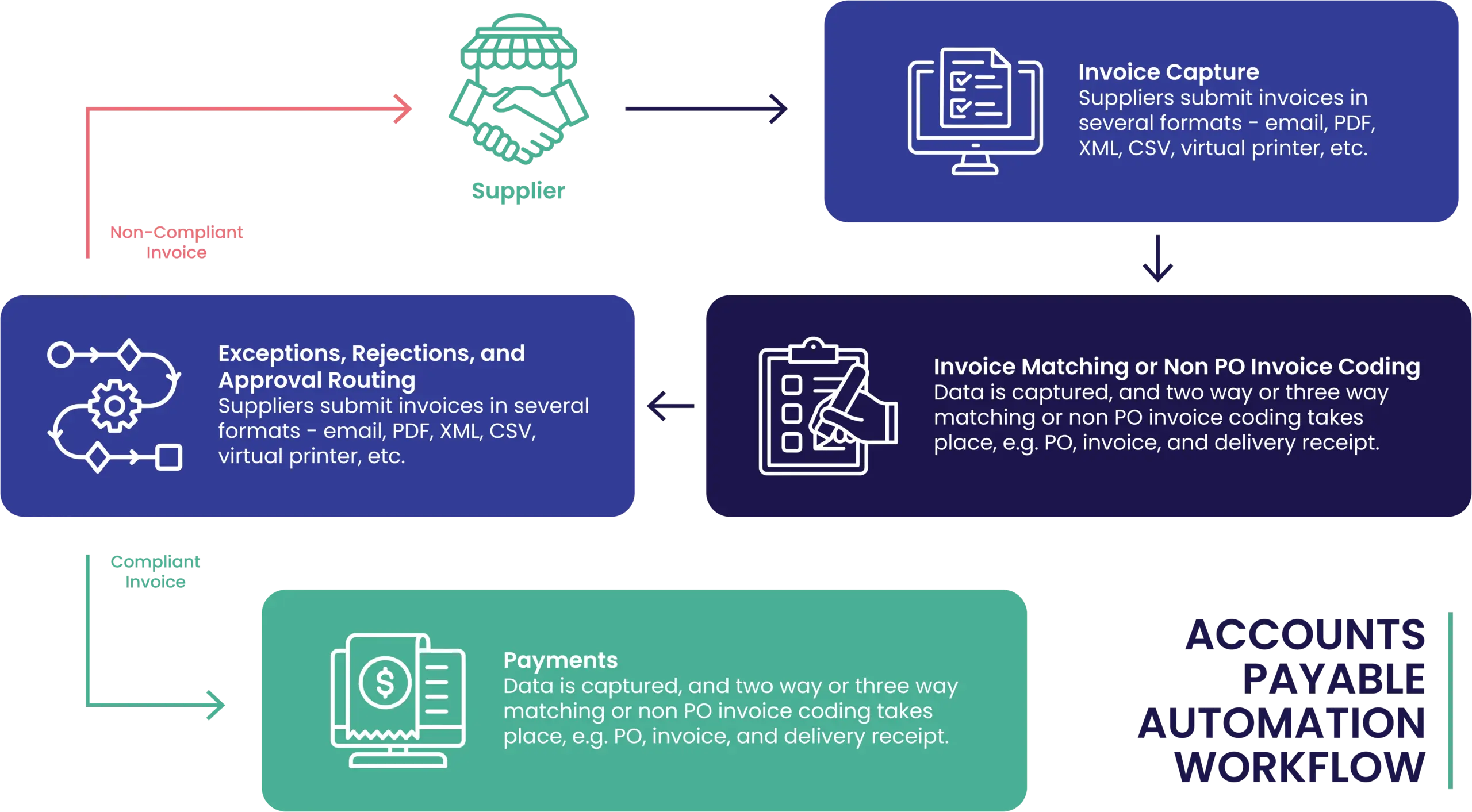
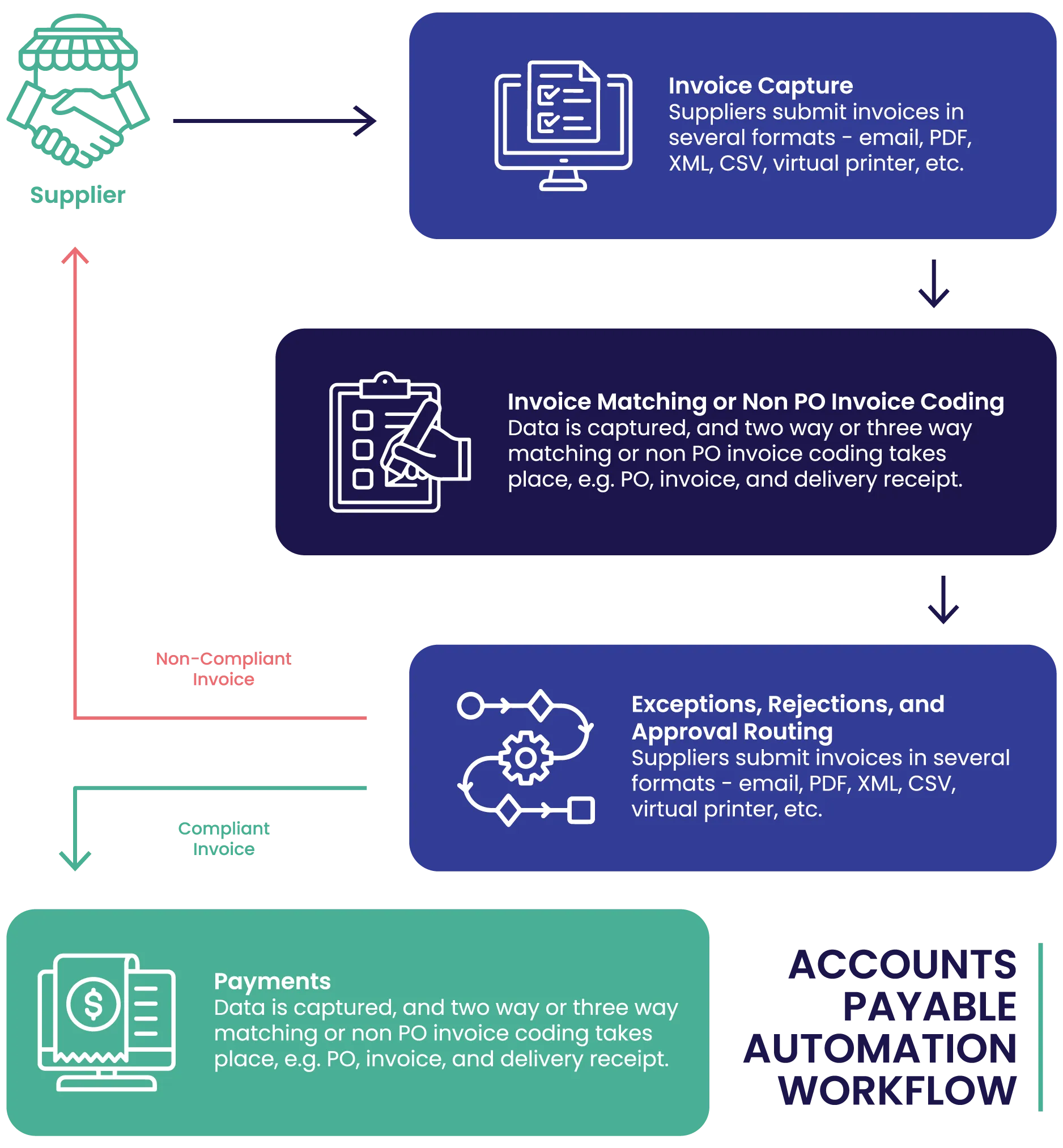
The difference between surface-level digitisation and meaningful AP automation is not how well invoices are read, but how reliably they move through validation, matching, approvals, exception handling, and posting into the ERP with traceability.
Key highlights of RapidP2P implementation
Invoice capture technology has improved significantly over time. Compared to manual entry or basic OCR, modern capture approaches can:
- Extract header and line-level data from a wide range of invoice layouts
- Reduce repetitive keying for high-volume suppliers
- Improve consistency of invoice records
- Support higher throughput at the point of receipt
For many organisations, this is a valuable starting point. Reducing manual data entry frees AP teams from some low-value tasks and creates a cleaner data foundation.
But capture only answers one question: what information appears on the invoice?
It does not determine what should happen next.
Where capture stops adding value
In real AP environments, invoices arrive in many forms:
- Bundled PDFs with multiple invoices and credit notes
- Invoices covering multiple cost centres or entities
- Inconsistent supplier layouts
- Missing or incorrect purchase order references
- Variances that require review
- Supporting documents needed for approval
Capture can still extract data from many of these documents. What it cannot do is apply business rules, interpret policy, or decide how the invoice should flow through the organisation.
That responsibility remains with workflow and controls. When those are weak or manual, the workload simply shifts downstream.
Why capture accuracy does not equal automation
A common assumption is that higher capture accuracy automatically leads to better automation outcomes. In practice, even perfectly extracted invoices still require:
1. Validation
Supplier status checks, tax treatment, required fields, and duplicate detection.
2. Matching
Matching against purchase orders where applicable, including tolerance handling.
3. Approval routing
Routing based on delegation, cost centre, or policy thresholds.
4. Exception handling
Clear ownership and resolution when something does not align.
5. ERP posting
Consistent coding and posting through defined integration methods.
If these steps remain manual or inconsistent, AP teams still touch invoices repeatedly. That is where cost per invoice and cycle time remain high.
Why workflow matters more than capture
Workflow defines how invoices move from receipt to posting. It determines:
- Which invoices can move with minimal touch
- What checks must occur before approval
- Who is responsible for resolving issues
- How delays are escalated
- What evidence and notes are retained
This is where real automation value is created. Well-designed workflow reduces coordination work, not just data entry.
Exceptions are where most AP effort sits
Most AP teams are not overwhelmed by clean invoices. They are overwhelmed by exceptions:
- Missing POs
- Missing confirmations
- Variances
- Supplier data issues
- Approval delays
If exceptions are not handled predictably, AP becomes the coordinator, chasing information and responding to supplier queries. That work is expensive and difficult to scale.
Visibility is a finance requirement
Finance leaders want to see:
- Where invoices are stuck
- Why delays occur
- How long invoices take end to end
- What exceptions drive workload
- Whether performance is improving
Capture alone does not provide this view. End-to-end workflow does.
Where RapidAP fits, briefly
Some organisations adopt rules-driven AP automation platforms, where capture, validation, approvals, exception handling, and ERP integration operate as one governed process.
In RapidAP, invoice capture is focused on invoices and credit notes, using ABBYY OCR and Peppol ingestion where configured, with rules-based validations, duplicate detection, configurable approval workflows, exception routing, and invoice lifecycle visibility through to ERP posting.
Key takeaways
- AI invoice capture reduces data entry, but it doesn’t automate AP outcomes like faster cycle times, fewer exceptions, or stronger governance.
- Automation value comes from workflow and controls: validation, matching, approvals, exception handling, and ERP posting.
- Exceptions drive most AP effort, so predictable exception ownership and routing are critical.
- Finance needs end-to-end visibility and traceability, status, bottlenecks, and audit trails, which capture alone doesn’t provide.