RapidP2P

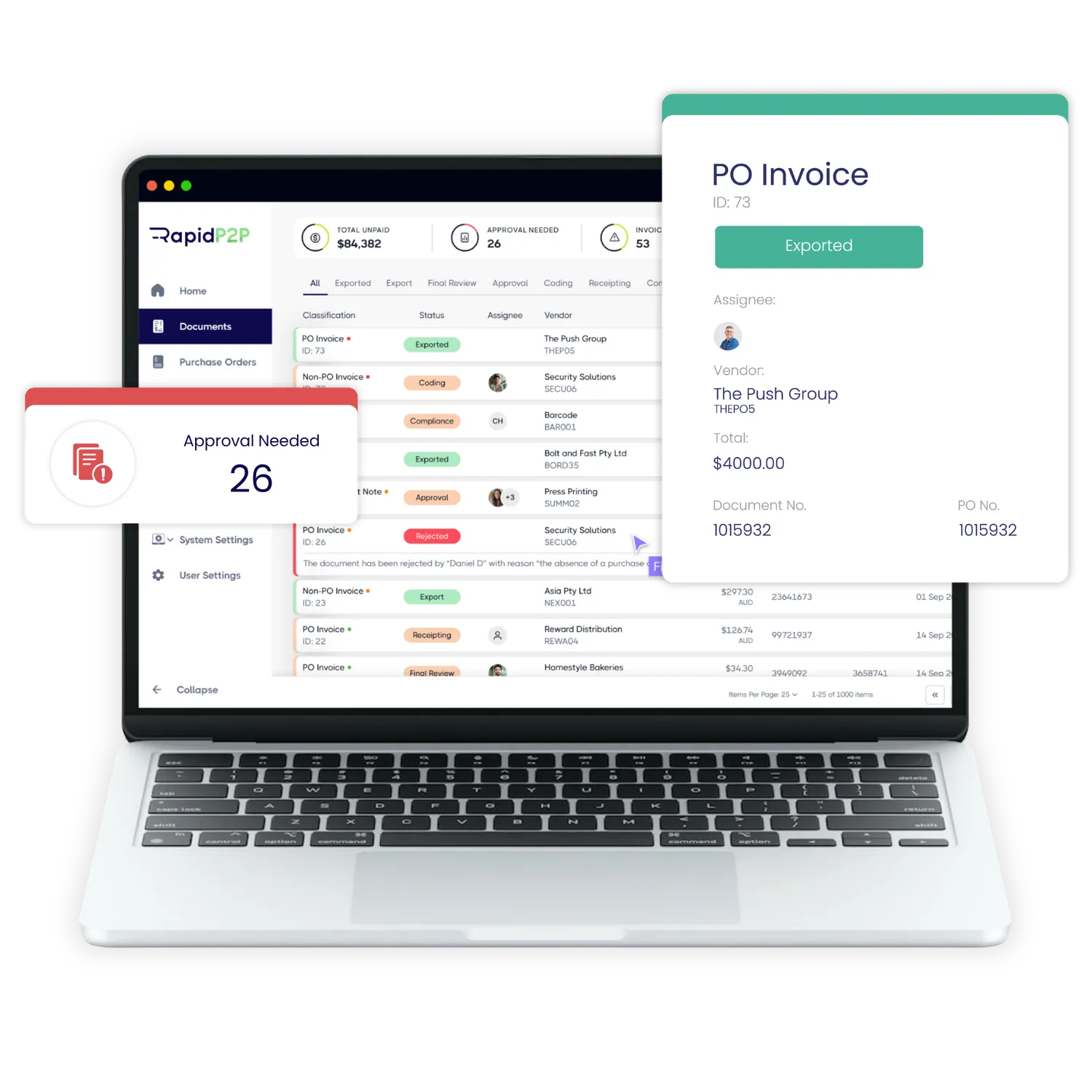
RapidP2P reads every supplier invoice, checks it against the creditors, purchase orders and existing invoices in your Civica ERP instance, and posts only clean invoices into Civica Procure2Pay. It works with both Civica ERP versions, Authority and Altitude.

Connection
REST API, nothing installed

Versions
Authority and Altitude

Checks
ABN, GST, duplicates, bank details

eInvoicing
Peppol receiver built in
How It Works

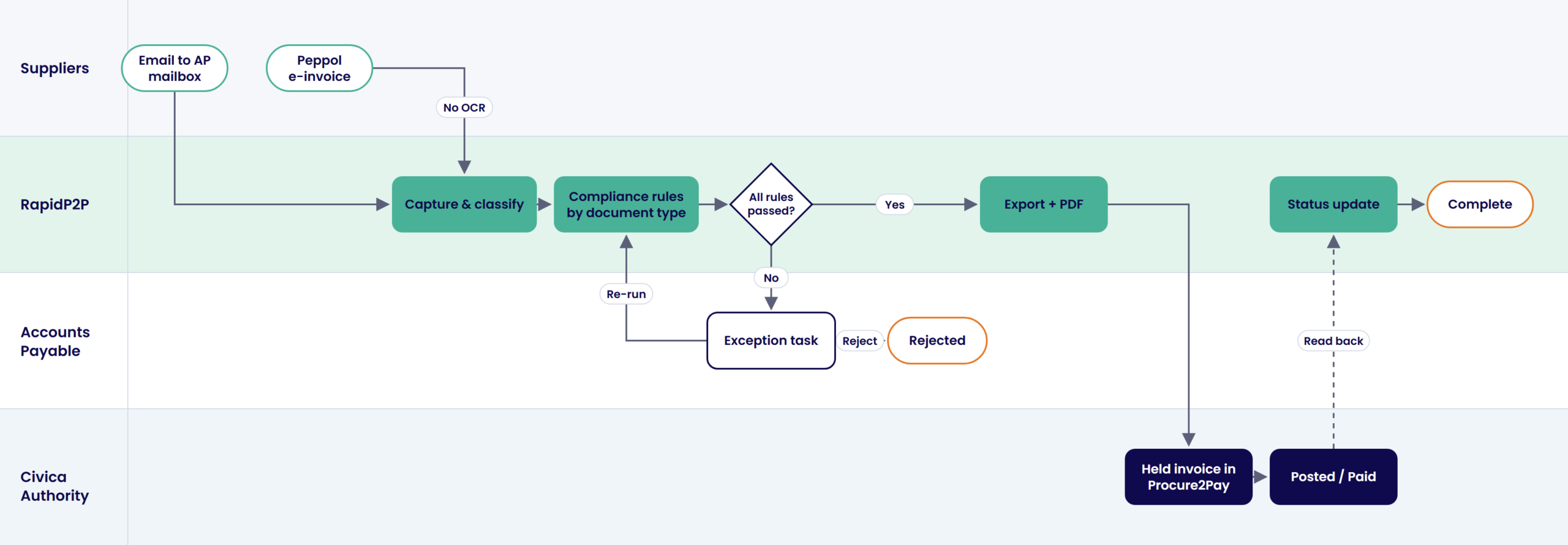
Invoices arrive by email or Peppol. Built-in OCR reads the supplier, ABN, invoice number, date, PO number, amounts and bank details, so your AP team only checks the fields the system isn’t sure about. Peppol e-invoices arrive as structured data and skip OCR.
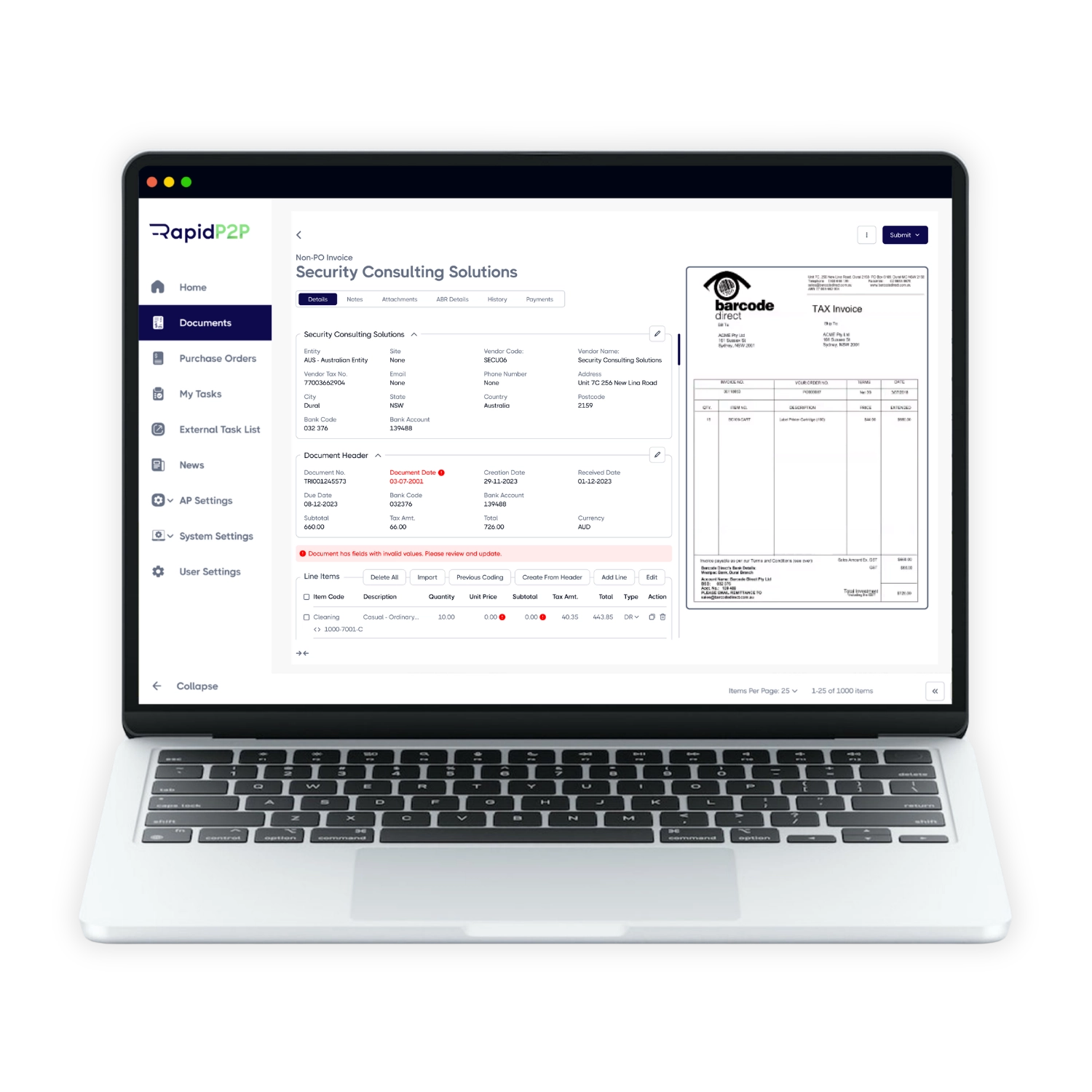
Each invoice is checked against Civica ERP and the Australian Business Register: the creditor is active, the ABN and GST status are valid, the invoice isn’t a duplicate, the bank details match the creditor record, and the PO exists and belongs to that supplier.
Invoices that fail a check are held in RapidP2P as an exception task for your AP team, with the reason shown. Once fixed, the checks re-run. Only invoices that pass every check move on, so errors never reach Civica ERP.
Clean invoices are created in Civica Procure2Pay as held invoices with the PDF attached, and a held status code sends each one to the right workflow step. Approval follows your existing Civica ERP workflow and delegations, and posted and paid statuses flow back to RapidP2P.
Data And Fields
RapidP2P connects through Civica ERP’s accounts payable web services (REST API), so nothing is installed on your servers. Civica ERP stays the source of truth: RapidP2P reads what it needs to check each invoice and writes back only validated invoices.
Civica ERP sends RapidP2P
Creditors
ABN, GST, bank details, active status
Purchase orders
Header, lines, outstanding value
Receipted PO lines
Goods receipt, quantity outstanding
Existing invoices
Duplicate checks, posted and paid status
Workflow settings
Held status codes, default requisitioner
RapidP2P sends Civica ERP
Held invoice
Header, GST, PO lines
Invoice PDF
Attached to the record
Held status code
Sends it to the right Procure2Pay step
Exceptions are resolved in RapidP2P first, so only validated invoices are written to Civica ERP.
The exact field map is confirmed against your Civica ERP version during scoping.

Peppol e-invoices arrive as structured data, skip OCR and go through the same checks as emailed invoices before they reach Civica ERP.
Why RapidP2P For Civica ERP
Low disruption
Approvals, coding and payment stay in Civica ERP under the delegations you already have. RapidP2P does the capture and checks before posting, so your finance processes and reports don’t change.

Payment controls
Bank details on every invoice are compared with the creditor record in Civica ERP, and a mismatch stops the invoice. Councils can add EFTsure for independent bank verification.
Ready for eInvoicing
Peppol e-invoices arrive as structured data, so they skip OCR and go through the same checks as every other invoice. No second system for your AP team to learn.
By Role
For finance managers and CFOs at councils running Civica ERP
System of record
Approvals, coding and payment stay in Civica ERP under your delegations.
Payment risk
Bank-detail and duplicate checks before invoices reach the payment run.
Capacity
Handle more invoices without growing the AP team at the same rate.
Visibility
Every invoice in Civica ERP has its PDF attached.
For AP officers and accounts payable teams
One queue
Email and Peppol invoices arrive in one place.
Data capture
OCR reads supplier, invoice and bank details, so you only check what the system isn’t sure about.
Exceptions
Invoices that fail a check are held in RapidP2P with the reason shown.
Payment status
Posted and paid statuses flow back to RapidP2P.
For IT teams and Civica ERP system administrators
Connection
Civica ERP’s accounts payable web services (REST API), with nothing installed on your servers.
Versions
Both Civica ERP versions: Authority 7.1 (council-hosted) and Altitude 7.2 (Civica’s cloud).
Access needed
Accounts payable API enabled in test and production, a dedicated service account and network access.
Security
Hosting, data and security details are covered in our Trust Centre.
For risk, audit and governance teams
Supplier checks
Active creditor, ABN and GST status checked with the Australian Business Register.
Duplicates
Supplier and invoice number checked against RapidP2P and Civica ERP.
Bank details
Compared with the Civica ERP creditor record. A mismatch stops the invoice.
Audit trail
Every exception is recorded in RapidP2P with its reason.
Implementation
Run by our local team in Sydney, the Gold Coast and Christchurch, with your finance and IT staff. The biggest factor in timing is having Civica ERP API access ready at the start.
Week 1
Civica ERP version and hosting, volumes, document types, workflow status codes
Weeks 1–3
API service account, network access, creditor and PO sync
Weeks 3–5
Compliance rules, mailbox, users, exception handling
Weeks 5–7
Real invoices from your top suppliers in your Civica ERP test environment
Week 8
Training, cutover and hands-on support
What we need from your IT team
The Civica ERP accounts payable API enabled in test and production, a dedicated service account for RapidP2P, network access from RapidP2P to the Civica ERP API, and sign-off on the field map from finance and IT.
Customer Story · AlburyCity
“It addresses a lot of system-based controls around segregation of duties, financial controls, delegations and preventing fraud and corruption risk. It’s a really important piece of software for us.”
Elisha Lieschke, Team Leader Procurement Services, Albury City
$9.4m
across 866 invalid bank details flagged
$21.07m
across 2,432 duplicate invoices caught
Over 14 months
FAQs
Read more: How RapidAP Integrates With Civica ERP
No. Civica ERP stays your system of record for approvals, coding and payment. RapidP2P handles invoice capture and checks, then posts clean invoices into Civica Procure2Pay.
Yes. RapidP2P works with both Civica ERP versions, Authority 7.1 (council-hosted) and Altitude 7.2 (Civica’s cloud version), through the same accounts payable web services. Councils moving to Altitude keep the same RapidP2P set-up, with the connection pointed at the new environment.
Through Civica ERP’s accounts payable web services (REST API). Nothing is installed on your servers.
In Civica ERP. RapidP2P creates a held invoice in Civica Procure2Pay with a status code that sends it to the right step, such as Apply Workflow or Return to AP. Approval then follows your existing Civica ERP workflow and delegations.
No. PO invoices take their coding from the purchase order in Civica ERP. Non-PO invoices are sent to Civica ERP with a default requisitioner, and coding is done in Civica ERP’s own workflow.
Access to the Civica ERP accounts payable API in test and production, a dedicated service account for RapidP2P, and network access from RapidP2P to the API. Having these ready before kickoff is the single biggest factor in a fast project.
About 8 weeks from kickoff to go-live when API access is ready at the start. Projects take longer when council IT or finance staff have limited availability.
Before anything is posted, RapidP2P checks the supplier and invoice number against both its own records and the invoices already in Civica ERP. A duplicate is stopped and sent to your AP team.
Yes. Bank details on the invoice are compared with the creditor’s details in Civica ERP, and a mismatch stops the invoice. Councils can add EFTsure for independent bank verification. Read more in If a fraudster changes your supplier’s bank details, who pays?
Yes. Peppol e-invoices arrive as structured data, skip OCR and go straight into the same checks as emailed invoices.
Next steps
A complimentary conversation with specialists who know accounts payable in councils running Civica ERP. A simple first step if you’re not ready for a full product demo.
Prefer to talk first? Call 1800 233 334